Advertisements
Nearly 60% of U.S. households plan to add at least one smart device in the next two years. This change will transform how people live and use energy every day.
This article explains smart home technology in plain language. It is for homeowners and renters who want simple steps to get started.
This guide covers the basics of smart homes: what they are and how home automation works. It also explains how connected home solutions link devices together.
It uses familiar examples from Amazon Echo, Google Nest, Apple HomeKit, Ring, Ecobee, and Samsung SmartThings. These show real-world choices and options.
Advertisements
Readers will learn how to plan a smart home layout and pick devices like smart speakers and thermostats. It teaches how to integrate these without confusion.
The focus is on simple and secure setup. It also shows how to create useful automations. Protecting privacy while saving energy and time is a priority.
Key Takeaways
- Smart home technology means networked devices plus software that make everyday tasks easier.
- Home automation creates rules and routines to run lights, climate, and security automatically.
- Connected home solutions include voice assistants, smart thermostats, cameras, and smart appliances.
- Smart home integration uses hubs and standards like Zigbee, Z-Wave, and Matter for better compatibility.
- Security and privacy are central—choose trusted brands and secure your network from the start.
What is Smart Home Technology?
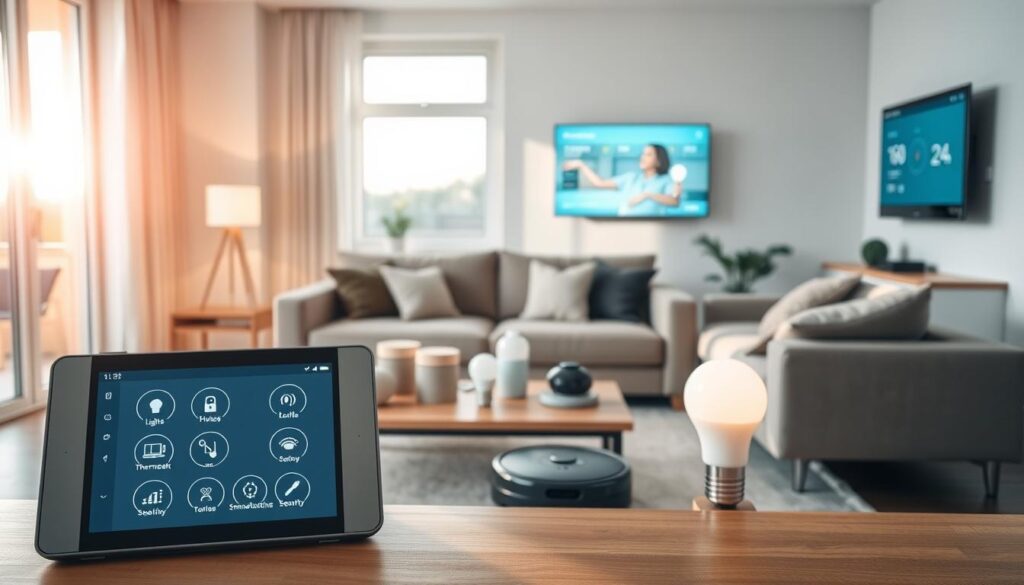
Smart home technology changes everyday devices into connected tools that simplify daily life. It includes products and services that let people control lighting, climate, locks, cameras, and appliances. These controls work through a phone or voice commands.
Brands like Amazon, Google, Apple, Ring, Ecobee, Nest, and Samsung offer ecosystems of connected home solutions. These can be tightly integrated or made of standalone pieces that still work together.
Definition of Smart Home Technology
The term means internet-connected systems that automate and control household functions remotely or autonomously. It covers sensors, smart locks, thermostats, security cameras, lighting, appliances, and voice-controlled devices.
Some setups use Apple HomeKit or Google Home for full integration. Others rely on cloud services or a local network to link IoT devices from different makers.
Key Features of Smart Homes
Remote control and monitoring through smartphone apps make it easy to check status and change settings from anywhere. Users rely on apps like Amazon Alexa, Google Home, or Apple Home for live control and alerts. Home automation supports routines that run on schedules or when events occur, like lights turning on at sunset.
Voice control is common with smart speakers and assistants, such as Amazon Echo/Alexa, Google Nest/Assistant, and Apple HomePod/Siri. Interoperability depends on Wi‑Fi, Bluetooth, Zigbee, Z-Wave, and Matter to let devices communicate. Data collection and analytics help cut energy use and allow predictive maintenance. For example, smart thermostats from Ecobee and Nest provide usage reports that guide savings. Security features include smart systems, cameras, and locks that send alerts and allow remote access.
Benefits of Smart Home Technology
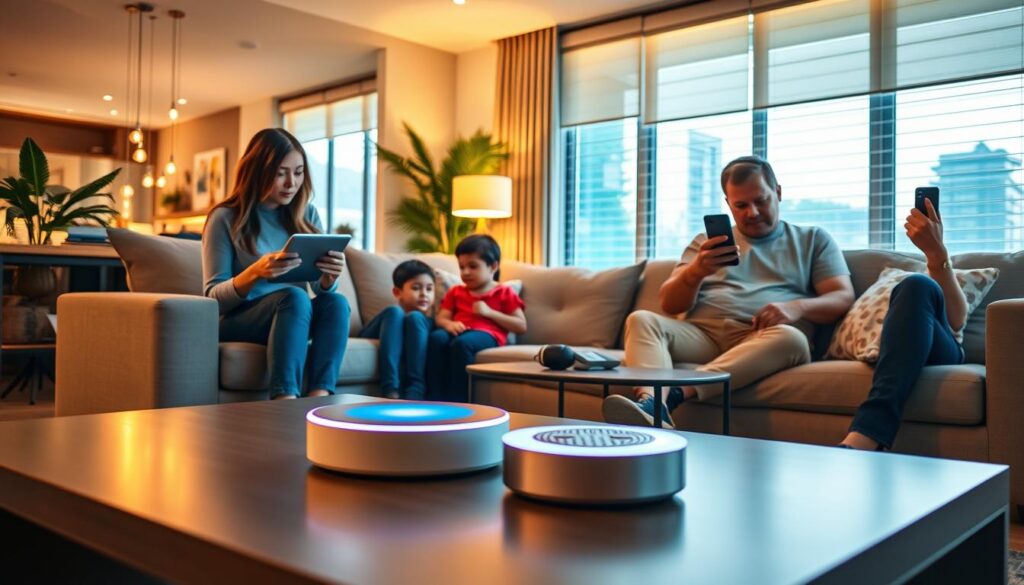
The move to connected living brings clear advantages for daily life. Homeowners and renters find that smart systems streamline routines, boost safety, and cut energy waste.
The benefits of smart home technology include ways to save time, lower bills, and feel more secure without adding complexity.
Enhanced Convenience
Voice-controlled devices such as Amazon Alexa, Google Assistant, and Siri let people manage lights, thermostats, and appliances hands-free.
Simple voice commands or taps in mobile apps replace mundane chores.
Home automation schedules lights, adjusts climate settings, and coordinates smart ovens and washing machines. Those routines remove repetitive tasks and adapt to daily habits.
Remote access keeps control when away from home. Users can lock doors, check camera feeds, or change heating from a phone.
Integration with calendars and location-based triggers makes automations context-aware.
Improved Security
Smart security systems like Ring Alarm, Arlo, and SimpliSafe deliver instant alerts and live video so users can respond quickly to events.
Cameras and sensors offer continuous monitoring for peace of mind.
Smart locks from August, Schlage, and Yale provide temporary access codes, activity logs, and remote locking. These features help manage visitors and reduce key-related hassles.
Doorbell cameras and motion sensors boost neighborhood situational awareness and help prevent package theft.
Security integrations can trigger actions, for example turning on lights when motion is detected to deter intruders.
Users should note that these gains rely on network connections and vendor cloud services.
Strong account security and timely firmware updates reduce vulnerability and keep systems reliable.
Essential Smart Home Devices
The right mix of gear makes a house smarter and more efficient. This section outlines devices that add convenience and save energy. Readers will learn practical uses and brand examples to help choose what works.
Smart Speakers
Smart speakers serve as central voice-controlled interfaces for home automation. Devices like Amazon Echo, Google Nest, and Apple HomePod accept voice commands for many tasks.
They support routines and intercom features such as Drop In or broadcast. Users should check compatibility with Alexa, Google Assistant, or Siri before setup.
Review privacy settings and microphone controls to protect your information.
Smart Thermostats
Smart thermostats like Google Nest and Ecobee offer remote temperature control and learning algorithms. They use occupancy sensors and give energy reports to cut heating and cooling costs.
Programmable schedules and geofencing improve comfort and reduce bills. Choose ENERGY STAR-certified models and integrate with HVAC systems or smart vents for best results.
Smart Appliances
Smart appliances include refrigerators, ovens, washers, dryers, robotic vacuums, and smart plugs. Brands like Samsung Family Hub, LG ThinQ, Whirlpool, and iRobot Roomba offer remote monitoring and alerts.
Appliances can join routines, like starting a coffee maker in the morning. For a budget-friendly upgrade, smart plugs add scheduling and monitoring to older devices.
| Device Type | Example Brands | Key Benefits | Practical Tip |
|---|---|---|---|
| Smart Speakers | Amazon Echo, Google Nest, Apple HomePod | Voice control, routines, music streaming, intercom | Match speaker to preferred assistant and set mic privacy options |
| Smart Thermostats | Google Nest, Ecobee | Learning schedules, occupancy sensing, energy reports | Choose ENERGY STAR models and connect to HVAC for savings |
| Smart Appliances | Samsung Family Hub, LG ThinQ, Whirlpool, iRobot | Remote monitoring, alerts, energy tracking, automation | Use smart plugs for older appliances to add remote control |
How Smart Home Technology Works
Smart home systems link sensors, controllers, cloud services, and user apps. They create responsive living spaces. This introduction explains data flow and building blocks behind connected home solutions.
Readers can see what drives everyday automation.
Internet of Things Explained
IoT devices turn ordinary objects into data sources and controllable endpoints. For example, a thermostat reads temperature with a sensor and sends data to a local hub or cloud service.
It then receives a command to adjust heating. This loop lets systems learn patterns and act without constant human input.
Core parts include sensors like motion and temperature, actuators such as smart locks, controllers or hubs, cloud analytics, and mobile apps.
Devices from Nest and Ring show typical flows. Sensors capture input. Local processors filter it. The cloud runs algorithms, then apps or automation trigger actions.
Communication Protocols in Smart Homes
Devices use different communication protocols based on range, power use, and bandwidth needs. Wi‑Fi handles high-bandwidth streaming for cameras and speakers.
Bluetooth and Bluetooth Low Energy serve short-range pairing for locks and phones. Low-power mesh standards like Zigbee and Z-Wave extend range and reliability across many nodes.
Philips Hue uses Zigbee to coordinate lighting. Thread offers modern low-power mesh that pairs with Matter for robust local control in new Apple HomeKit and Google Nest devices.
Matter is an emerging IP-based standard backed by Apple, Google, and Amazon. It aims to simplify smart home integration across ecosystems. Users can mix brands with fewer compatibility issues.
Security features include encryption, secure pairing, and regular firmware updates. Designers balance local processing with cloud services to reduce latency and protect private data.
| Layer | Example Components | Typical Protocols | Main Benefit |
|---|---|---|---|
| Device Sensors | Motion sensors, temperature probes, door contacts | BLE, Zigbee, Z-Wave, Thread | Energy-efficient sensing and event triggers |
| Actuators | Smart locks, relays, smart plugs | Z-Wave, Zigbee, Wi‑Fi | Direct control of physical systems |
| Controllers / Hubs | Amazon Echo, Google Nest Hub, HomeKit hubs | Wi‑Fi, Thread, Zigbee | Local routing and device orchestration |
| Cloud Services | Nest cloud algorithms, Ring video storage | HTTPS/IP, proprietary APIs | Advanced analytics and remote access |
| User Interface | iOS/Android apps, web dashboards | HTTPS, MQTT | Control, alerts, and automation setup |
Setting Up a Smart Home
Planning makes a big difference when you set up a smart home. Clear goals like convenience, security, energy savings, and accessibility can guide your choices. A simple plan helps avoid costly rewiring and saves time during installation.
Planning Your Smart Home Layout
Start by mapping key areas and assigning their smart functions. Entryways should have smart locks and cameras for access control. Living rooms benefit from smart speakers and lighting to improve entertainment and mood.
Kitchens need smart appliances that save energy and add convenience. Divide HVAC into zones and place thermostats where they can read room temperature well. Bedrooms should include sensors and smart blinds for safety and comfort.
Put devices near power sources or choose battery-powered ones where outlets are scarce. Design the network to provide strong Wi-Fi coverage. Use mesh systems like Eero, Google Nest Wifi, or Netgear Orbi to reduce dead spots.
Add wired Ethernet for hubs and cameras when reliability is important. Create a separate guest network to protect your main network from visitors. Consider radio interference and line-of-sight for Zigbee or Z‑Wave devices.
Plan for future growth by choosing hubs and ecosystems that support many devices and Matter compatibility. A flexible smart home layout makes it easier to add more devices later.
Choosing the Right Devices
Pick your main platform early. Options include Amazon Alexa, Google Assistant, and Apple HomeKit. Choose one that fits your voice preferences, privacy comfort, and device compatibility. This makes device pairing and routines simpler.
Check compatibility before buying. Verify support for Wi‑Fi, Zigbee, Z‑Wave, or Matter. Confirm they work with your HVAC or security systems. Focus on core items like a strong router, smart locks, a reliable thermostat, and security cameras.
Balance your budget with device performance. Start by buying essentials and add luxury devices over time. Always check ENERGY STAR ratings and read reviews from sources like CNET, Wirecutter, and Consumer Reports. Consider manufacturer warranty and firmware update history for device durability.
Decide whether to hire a professional or go DIY. Professionals help with complex HVAC, whole-home automation, or wired security systems. DIY works well for plug-and-play smart home tech that needs little wiring.
| Decision Area | Recommendation | Why It Matters |
|---|---|---|
| Primary Platform | Amazon Alexa, Google Assistant, Apple HomeKit | Determines voice control, privacy settings, and device compatibility |
| Network Hardware | Eero, Google Nest Wifi, Netgear Orbi; wired Ethernet for hubs | Ensures coverage and reliability for cameras and hubs |
| Core Devices | Smart lock, thermostat, security camera, mesh router | Delivers security, comfort, and stable connectivity |
| Protocols to Verify | Wi‑Fi, Zigbee, Z‑Wave, Matter | Maximizes interoperability across connected home solutions |
| Energy & Quality Checks | ENERGY STAR, warranty, third-party reviews | Helps choose long-lasting, efficient smart home technology |
| Installation Choice | Professional for complex setups; DIY for plug-and-play | Matches skill level with system complexity and safety needs |
Integration of Smart Home Technology
When homeowners plan smart home integration, they must check how new devices work with existing ones. Reviewing wiring, Wi‑Fi coverage, and control panels avoids surprises. Matter-certified products ease use across Apple, Google, and Amazon systems.
Start compatibility with an inventory of current systems. Older HVAC units may need modules to work with smart thermostats like Nest or ecobee.
Wired security and legacy Z-Wave devices might need bridges like Ring Alarm Base Station or Samsung SmartThings Hub. These ensure smooth operation.
Vendor ecosystems can complicate linked devices. Some brands use proprietary cloud services, while others support IFTTT and local APIs. Devices with cross-platform support make smart homes easier to manage.
Using a central hub helps organize mixed-device setups. The hub translates Zigbee or Z-Wave signals to IP, extends mesh coverage, and runs automations locally.
Local-first hubs like Hubitat Elevation keep routines working without internet access and improve privacy.
Examples include Samsung SmartThings for broad compatibility, Hubitat for local control, and Amazon Echo models with built-in Zigbee for convenience. Apple HomePod Mini serves as a HomeKit hub. Each offers different balances of simplicity and control.
Best practices for a central hub include placement and maintenance. Position the hub centrally to optimize range, keep firmware updated, and back up configurations. These steps ensure smart home technology stays reliable.
| Need | Recommended Device or Approach | Benefit |
|---|---|---|
| Integrate legacy Z-Wave devices | Samsung SmartThings Hub or Z-Wave bridge | Enables mixed-device control and easier automation |
| Local automations and privacy | Hubitat Elevation | Runs automations without internet; reduces cloud dependence |
| Broad voice and cloud integrations | Amazon Echo with Zigbee | Simple setup and voice control with many devices |
| Seamless Apple ecosystem use | Apple HomePod Mini as HomeKit hub | Native HomeKit support and secure remote access |
| Cross-platform compatibility | Matter-certified devices | Reduces compatibility issues across major platforms |
Smart Home Automation
Smart home technology moves routine tasks from manual schedules to intelligent flows. Users enjoy comfort, security, and energy savings. The next sections explain common home automation and how to create reliable routines for daily life.
Types of Automation Scenarios
Time-based automations work on a clock. Lights can turn on at sunset. Thermostats can adjust at night. These setups are easy in Google Home, Amazon Alexa, or Apple Home.
Event-based automations react to sensors. For example, motion sensors can start cameras and turn on lights. This improves security.
Location-based automations use geofencing. When someone nears home, the door can unlock and lights can turn on. Major brand apps support geofencing.
Condition-based automations combine rules. If the temperature is over 72°F and someone is home, the system starts cooling. These rules balance comfort and energy savings.
Security automations link alarms, locks, and outdoor lights to suspicious events. A triggered sensor can alert owners and arm systems. These scenarios boost home safety.
Creating Routines and Schedules
Start with simple routines. A morning routine can raise blinds, start coffee, and set temperature. An away routine can arm sensors, reduce HVAC use, and turn off lights.
Use native apps or third-party platforms to build and test flows. Popular tools include Google Home, Amazon Alexa, Apple Home, IFTTT, and Home Assistant. These cover most needs.
Test triggers and monitor logs to improve timing and reduce errors. Simulate arrival, departure, and night modes to see rule interactions. Regular tests increase reliability.
Add fail-safes and manual overrides. Physical switches and keypads keep systems accessible if networks fail. Document automations, triggers, and devices for your household and technicians.
Security and Privacy in Smart Homes
Smart home technology offers convenience and control. However, it raises concerns about security and privacy in smart homes. People should understand what data their devices collect and how it is handled.
A simple plan helps homeowners reduce exposure. It also helps keep control over cameras, microphones, and usage records.
Protecting your data starts with knowing what information smart devices gather. This includes video, audio, device logs, access codes, and usage patterns. Such data often moves to the cloud with companies like Ring, Google, and Amazon.
Users should check privacy controls to limit continuous recording. They can also block microphone access and opt out of unnecessary data sharing.
Users must read vendor policies to learn about data retention and third-party sharing. Some companies, like Apple, focus on local encryption. They offer end-to-end options for video data.
When features are unnecessary, users should disable them. Limiting account linking and using separate emails for device accounts can lower risk.
Best security practices include strong, unique passwords. Enable multi-factor authentication on major accounts such as Amazon and Google.
Routers should run WPA3 if supported. Setting up a separate guest network keeps visitor devices isolated from IoT devices and hubs.
Keeping firmware and hub software up to date prevents known vulnerabilities. Secure onboarding means following manufacturer pairing steps carefully.
Change default admin passwords during setup. If a device seems compromised, homeowners need to revoke access. They should also remove the device from accounts or perform a factory reset.
Smart security systems need thoughtful placement and legal awareness. Cameras and sensors must respect neighbor privacy and comply with local laws.
Physical security works together with digital steps to reduce exposure. Use a checklist to reinforce actions such as reviewing privacy settings and enabling MFA.
Also, update firmware, create separate networks, and store unique passwords. These steps help protect your data in a home full of IoT devices.
Protecting Your Data
Identify what each device records and where the data is stored. Adjust camera recording times and disable always-on microphones.
Check if end-to-end encryption is available. Read the manufacturer’s policy to understand third-party access and data retention rules.
Best Practices for Security
Practice good network hygiene and account protection. Use complex passwords, keep devices updated, and enable MFA. Avoid default credentials.
Place devices to protect physical privacy. Have an incident response plan ready to remove or reset devices if needed.
The Future of Smart Home Technology
The next wave of connected homes will focus on smoother device cooperation, better local control, and smarter energy use.
Readers should expect faster adoption of unified standards, stronger privacy options, and broader service bundles from providers.
These shifts shape the future of smart home technology and set new expectations for homeowners.
Emerging Trends
Interoperability is improving as more manufacturers adopt the Matter standard.
Brands like Philips Hue, Google, Amazon, and Apple are easing cross-brand pairing.
This will simplify smart home integration for buyers and installers.
Local-first platforms such as Home Assistant and Hubitat are gaining traction.
They let devices run automations without cloud reliance, which boosts privacy and lowers latency.
On-device AI and edge computing support faster voice recognition and smarter predictive routines.
Energy management is moving into the spotlight with tighter ties to utility programs and solar systems.
Integrations with Tesla Powerwall and Sunrun-style services enable demand-response actions and better load shifting.
This focus on energy-efficient tech helps households cut costs and emissions.
Health and accessibility solutions will expand through sensors and fall-detection systems.
Aging-in-place technologies will integrate with monitors and alerts to support independent living.
Manufacturers will promote recyclable materials and longer update lifecycles to meet sustainability goals.
Predictions for Growth
Market expansion will continue across the United States as devices become more affordable and easier to set up.
New homes and renovation projects will increasingly include smart home integration as a standard feature.
Service convergence will bring bundled offerings that combine internet, smart security, and energy management.
ISPs and managed security firms will offer plans pairing hardware with monitoring and maintenance services.
The maturation of the Matter standard and common APIs will lower friction for consumers.
Easier cross-brand use and clearer compatibility will boost adoption and retailer confidence.
Professional services will evolve into hybrid models blending DIY devices with paid installation and ongoing support.
This shift helps homeowners who want plug-and-play gear plus expert setup and monitoring.
| Trend | Impact | Representative Brands/Examples |
|---|---|---|
| Matter standard adoption | Simpler pairing, broader device choice, fewer compatibility issues | Philips Hue, Google Nest, Amazon Echo, Apple HomeKit |
| Local-first platforms | Privacy-friendly automations and offline reliability | Home Assistant, Hubitat |
| Edge AI and on-device processing | Lower latency, improved voice and video analytics | Google Pixel devices, Amazon Echo with local processing |
| Energy-efficient technology | Reduced bills, demand-response participation, greener homes | Tesla Powerwall, Sunrun integrations, smart thermostats |
| Health and accessibility sensors | Enhanced aging-in-place support and safety monitoring | Wearable fall detectors, home wellness sensors |
| Service convergence | Bundled services with installation, monitoring, and energy plans | ISPs, managed security providers, utility partnerships |
FAQs About Smart Home Technology
This section answers common questions about smart home technology and offers concise troubleshooting advice. It covers return on investment, ecosystem choices, internet dependence, and safety. The goal is to give practical guidance for buyers and users navigating smart home devices.
Common Questions Answered
Is a smart home worth it? The return on investment depends on your goals. Many find gains in convenience, improved security, and energy savings from smart thermostats like Nest or Ecobee. Upfront costs vary, so homeowners should weigh expenses against long-term savings and time saved by automation.
Which ecosystem should they choose?
Choice often follows preferred voice assistant and device compatibility. Amazon Alexa, Google Assistant, and Apple HomeKit each offer strengths. Matter reduces lock-in by improving device interoperability. Privacy priorities should guide your choice, especially when considering cloud reliance.
Do smart devices work without internet?
Some local functions work without internet if a hub or local processing is used. Remote access and many cloud features require internet. Planning for partial local control can keep lights, locks, and routines working during outages.
Are smart homes safe?
Risks exist, but you can manage them. Use strong passwords, multi-factor authentication, regular firmware updates, and a separate Wi-Fi network to reduce exposure. No system is risk-free, so regular maintenance and careful device choice are essential.
Troubleshooting Tips
For poor connectivity, check router placement and consider mesh Wi-Fi. Assign static IPs for critical devices and keep firmware updated. If a device is not responding, power cycle it, check the vendor app for updates, ensure hub connectivity, and re-pair if needed.
Automation failures often happen due to trigger conditions, time zone, daylight-saving settings, or conflicting routines across platforms. Video or audio issues usually come from bandwidth limits. Inspect network use, lower camera resolution in the app, move cameras closer to access points, or switch devices to Ethernet.
Call a professional for complex HVAC setups, whole-home rewiring, or advanced security installations. Professionals ensure safe, reliable smart home integration.