Advertisements
More than 70% of U.S. learners use mobile apps for study or practice. This shows free educational apps are changing everyday learning.
This short how-to guide helps readers find the best free educational apps for children, students, teachers, and lifelong learners. It focuses on high-quality resources for language, math, science, arts, early childhood, study organization, and classroom use.
The guide highlights both fully free apps and freemium options with substantial no-cost features. It explains common monetization models like in-app purchases, subscriptions, and ads. Readers understand what to expect before downloading.
Advertisements
Recommendations favor well-known, widely used brands such as Duolingo, Khan Academy, Adobe, Canva, and Quizlet. These apps offer benefits like higher engagement, personalized pacing, and improved accessibility.
Readers get curated app recommendations and practical tips for using apps in daily routines. The guide offers clear criteria for evaluating free learning resources based on your goals. It suits parents, students, teachers, and adult learners alike.
Key Takeaways
- Free educational apps are widely used and can boost engagement and access to learning.
- This guide highlights the best free educational apps across language, STEM, arts, and organization.
- It covers fully free apps and freemium tools with meaningful no-cost features.
- Trusted brands like Duolingo and Khan Academy are recommended for evidence-based learning.
- Practical tips help integrate apps into daily routines for students, teachers, parents, and adult learners.
Why Choose Free Educational Apps?
Free educational apps open learning to more people. They lower cost barriers and let learners try tools before committing.
Many platforms deliver short, focused lessons that fit busy schedules. They encourage steady progress in learning.

Benefits of Using Educational Apps
Interactive, gamified experiences boost motivation and help memory. Apps such as Duolingo use bite-sized lessons to keep users returning.
Khan Academy provides mastery-based practice that guides learners through skills step by step. Personalized learning paths and adaptive quizzes give immediate feedback.
That speeds skill acquisition for a wide range of topics. Built-in progress reports let users track strengths and spot gaps.
Accessibility for All Age Groups
Design matters when reaching different ages. Educational apps for kids like ABCmouse and Endless Alphabet use simple navigation and bright visuals for early learners.
Parental controls and offline options make these apps practical for families. Educational apps for adults include platforms such as Coursera and Khan Academy, offering structured courses and certificates.
Learning apps for students provide study tools, practice tests, and pacing suited to middle school, high school, and college needs.
Accessibility features such as text-to-speech, adjustable fonts, captions, and multilingual support help learners with disabilities and ESL users.
These options broaden who can benefit from free educational apps.
Enhancing Learning through Technology
Technology enables multimedia content that supports different learning styles. Video lessons, interactive simulations like PhET-style labs, and augmented reality experiences clarify abstract concepts.
Mobile access means learning can happen during commutes or short breaks. Microlearning sessions add up over time and fit modern routines.
Data tracking and analytics inside learning apps help teachers and learners tailor instruction. Insight into usage patterns and assessment results supports targeted practice and measurable improvement.
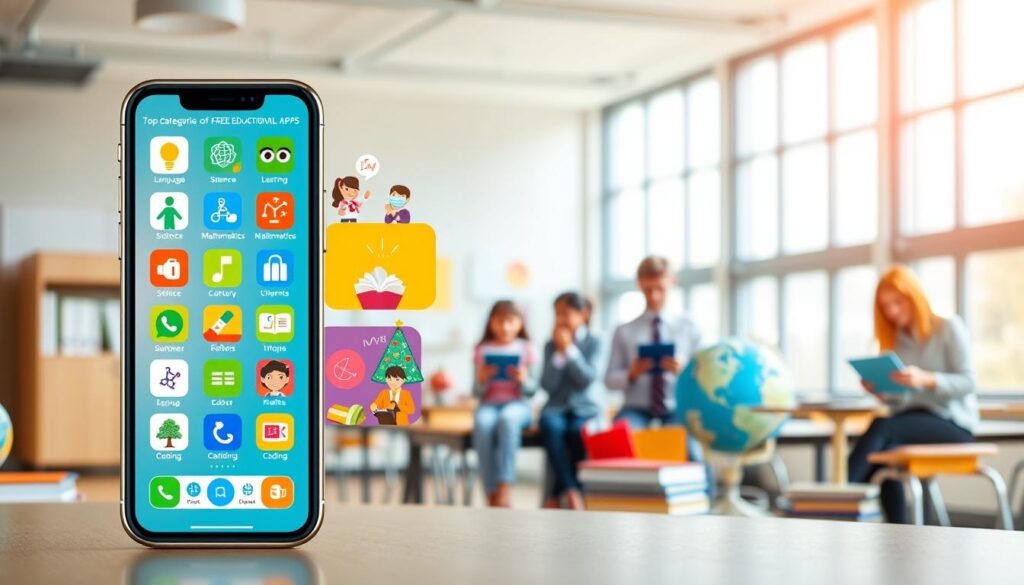
Top Categories of Free Educational Apps
Choosing the right tools can speed up learning progress. This overview sorts popular learning apps into three categories. Readers can find the best fit for their goals.
It highlights top educational apps, free learning resources, and practical picks for everyday study.
Language Learning
Language apps focus on vocabulary, grammar, listening, and speaking skills. Options like Duolingo, Memrise, and Tandem offer structured lessons.
They also provide chances to chat with native speakers. These apps use spaced repetition and quick daily drills to help retention.
Math and Science
Math and science apps cover lesson platforms, step-by-step problem solvers, and experiment logs. Khan Academy, Photomath, and Science Journal offer visual explanations.
They use interactive problems to improve understanding. Students get free resources that break tough topics into smaller steps.
Art and Creativity
Creative apps support graphic design, music production, and multimedia storytelling. Adobe Spark, GarageBand, and Canva provide tools for projects and portfolios.
These apps build digital literacy and skills. They remain among the best free educational apps for creative work.
Language Learning Apps You Must Try
Language learning apps have changed how people study new languages. They help travelers, students, professionals, and families. Free apps often offer powerful tools for daily practice.
Duolingo uses short, game-like lessons to keep users engaged. The free tier provides core lessons and practice exercises. It tracks streaks and adapts to the learner’s pace.
The free version has ads and limits on some features. Speaking drills and deep conversation practice are limited. Still, Duolingo is a good start for casual learners.
Memrise focuses on vocabulary with spaced repetition and multimedia aids. It includes video clips from native speakers and supports user-created courses. This makes it great for long-term word retention.
Memrise’s free plan offers strong spaced repetition benefits. However, grammar explanations are limited in this tier. Advanced lessons may require a subscription.
Tandem connects learners with native speakers for real conversations by text, voice, or video. It offers genuine practice and cultural exchange. Feedback and corrections come directly from native speakers.
Tandem’s usefulness depends on match quality and user responsiveness. Safety and moderation are important for younger users. Parental supervision is recommended when kids use this app’s community features.
Adults benefit by mixing these tools. They can combine Duolingo’s structure, Memrise’s retention system, and Tandem’s real conversation time. While free apps alone don’t cover all needs, together they create a balanced routine.
| App | Best For | Free Tier Strengths | Limitations |
|---|---|---|---|
| Duolingo | Beginners, daily habit builders | Gamified lessons, streaks, adaptive difficulty | Ads, limited speaking depth, locked features |
| Memrise | Vocabulary retention, native-speaker exposure | Spaced repetition, video clips, community courses | Limited grammar content, advanced material behind paywall |
| Tandem | Conversational practice, cultural exchange | Text/voice/video exchanges, corrections from natives | Match quality varies, safety concerns for kids |
Best Math and Science Apps
Students and teachers can use powerful free educational apps as practical tools. These apps support homework, classroom work, and independent study. Each app helps with hands-on experiments and concept mastery.
Khan Academy offers a deep, free library of lessons for K–12 and early college topics. It supports mastery-based progression with video lessons and built-in practice exercises. Teachers track progress and assign modules, while learners use it for homework, remedial instruction, flipped lessons, and self-paced study.
Photomath turns a phone camera into a quick math tutor. It reads printed or handwritten problems and shows step-by-step solutions. Photomath offers multiple solving methods with animated explanations. Pairing it with Khan Academy or guided instruction strengthens understanding beyond answers.
Science Journal and similar apps convert mobile devices into portable lab notebooks. They log sensor data like light, sound, and motion. This supports inquiry-based learning and real-world experiments. Classrooms use these tools for scientific method lessons and STEM projects.
Educators who combine these tools create a balanced learning toolkit. Using free math and science apps helps address different learning styles. These resources rank among the best free educational apps for classrooms and home study.
Creative Learning with Art and Music Apps
The rise of creative learning apps opens new paths for art and music in classrooms. Teachers can add multimedia projects using tools that mix design, audio, and teamwork. Schools find these tools help encourage hands-on activities and student self-expression.
Adobe Express offers polished templates for posters, web pages, and short videos. It works well for classroom storytelling and project-based lessons. The platform supports collaboration, making it perfect for teachers to share and review student work easily.
GarageBand is a full-featured audio workspace for making music on Apple devices. Students learn composition using virtual instruments, loops, and multi-track recording. Music teachers find it practical, and schools can use alternatives like Cakewalk for Windows users.
Canva makes graphic design simple with drag-and-drop tools and an education plan that adds classroom controls. The free tier includes templates for presentations and portfolios. Many teachers use it to create lesson materials, visual assignments, and student showcases.
Below is a comparison of features teachers and schools check when picking creative learning apps. It shows strengths, classroom uses, platforms, and cost. This helps decide which free educational apps fit specific needs.
| App | Strengths | Classroom Uses | Platforms | Cost |
|---|---|---|---|---|
| Adobe Express | Professional templates, easy editing, sharing | Digital storytelling, multimedia projects, presentations | Web, iOS, Android | Free tier; paid upgrades available |
| GarageBand | Virtual instruments, loops, multi-track recording | Music composition lessons, recording projects, sound design | iOS, macOS | Free on Apple devices |
| Canva | Extensive free assets, collaborative folders, templates | Posters, student portfolios, teacher-created resources | Web, iOS, Android | Free tier; education plan for classrooms |
Kids’ Educational Apps for Young Learners
Young learners benefit from apps that mix play with purpose. Parents and educators seek educational apps with clear learning paths, engaging visuals, and safe experiences.
Free and premium educational apps both fit early childhood routines. Choice depends on goals and budgets.
ABCmouse offers a structured early-learning curriculum for reading, math, science, and art. It covers preschool and early elementary children.
The app features sequential lessons, progress tracking, and dashboards for parents or teachers. This helps monitor children’s growth easily. Schools sometimes license access. Families should check free trials or sample lessons before subscribing.
Endless Alphabet teaches vocabulary and phonics with animated monsters and interactive puzzles. It supports phonemic awareness in a fun, low-pressure way.
Children practice letter sounds and word meanings. Educators often use it with other literacy tools to widen learning.
Toca Boca provides open-ended, play-based digital toys to boost creativity and role-play. Many titles are paid apps without ads, with some free demos.
Teachers use Toca Boca to encourage storytelling, social-emotional learning, and exploration in classrooms.
When picking educational apps, consider curriculum fit, age appropriateness, screen-time limits, and privacy policies. Using both free and paid apps creates a balanced, tailored collection for each child’s needs.
Apps for Study and Organization
Students and educators often need simple tools to keep study time focused. These tools help keep projects on track. Flashcard, note, and task apps manage revision, research, and classroom work.
These options work well on phones, tablets, and laptops.
Quizlet streamlines memorization with shared flashcard sets and spaced-recall study modes. The free tier offers core features, games, and multi-device sync. Its large library and Quizlet Learn algorithm help students review efficiently.
Teachers use Quizlet for collaborative study sets, quick formative checks, and homework support. This app ranks among the best learning apps for fast, repeatable practice.
Notion offers a flexible workspace combining notes, databases, and project pages. The free personal plan suits many learners and teachers. Education discounts expand access for classrooms.
Notion’s templates make it easy to build course pages, reading lists, and research databases. Integrations with calendars and file storage help teams stay organized. It stands out among study apps free for students who want a single hub for notes and planning.
Trello uses kanban boards to visualize tasks and deadlines. Cards, checklists, and attachments simplify tracking assignments and group project steps. Free power-ups add basic automation to reduce repetitive work.
Teachers use Trello for lesson prep and workflow planning. Students use it to split tasks and follow progress on projects. Trello belongs on lists of free educational apps that improve classroom coordination and personal time management.
| App | Key Strength | Free Features | Ideal For |
|---|---|---|---|
| Quizlet | Spaced-recall algorithm and large community library | Create and study flashcards, games, multi-device sync | Exam prep, vocabulary building, classroom drills |
| Notion | Customizable pages and databases | Personal workspace, templates, basic collaboration | Course organization, research notes, project planning |
| Trello | Visual task management with cards and boards | Unlimited boards, cards, checklists, free power-ups | Group projects, assignment tracking, lesson workflows |
Incorporating Educational Apps into Daily Life
Apps fit into busy routines best when clear habits and limits are used. A short daily plan helps maximize free educational apps without adding too much screen time.
Parents and adults can create device-free times, designate study corners, and join children in co-learning sessions to boost engagement.
Creating a Balanced Screen Time Schedule
Short sessions of 15–30 minutes work well for focused learning. Microlearning apps pair nicely with offline practice like worksheets or hands-on projects.
Pediatric guidelines suggest setting age-appropriate limits. For young children, use parental controls and set device-free zones at meals and bedtime.
Setting Learning Goals with Apps
Use SMART goals inside apps to stay on track. Examples include finishing three Duolingo lessons per week or completing a Khan Academy unit before month-end.
Take advantage of features such as streaks, reminders, and goal dashboards. These motivators help users keep momentum with free learning resources.
Monitoring Progress and Achievement
Many platforms offer analytics for users and teachers. Khan Academy teacher dashboards and Quizlet progress reports show mastery over time.
External trackers like Notion and Trello help summarize data and plan next steps. Teachers can use app data for formative checks and to inform parent-teacher talks in classrooms.
Reinforce wins with tangible outcomes. Build portfolios, present projects, and collect certificates to turn digital progress into real-world skills for learners and adults alike.
| Goal Type | Example Goal | Recommended App Feature | Evidence of Achievement |
|---|---|---|---|
| Daily Practice | Complete 20 minutes of vocabulary practice | Streaks and reminders | Screenshots or app history |
| Weekly Milestone | Finish three Duolingo lessons | Lesson completion badges | Weekly progress report |
| Unit Mastery | Complete a Khan Academy unit in math | Teacher dashboard and mastery scores | Unit certificate and portfolio problems |
| Project Application | Create a short presentation using learned skills | Export and sharing tools | Recorded presentation or published project |
| Adult Upskilling | Finish a career-oriented course module | Progress tracker and deadlines | Certificate and LinkedIn update |
Conclusion: Finding the Right Educational App for You
Choosing the best free educational apps starts with a clear look at goals, devices, and learners’ needs. They should decide if the aim is skill building, test prep, or enrichment.
Consider platform availability—iOS, Android, or web. Also check age appropriateness and accessibility features before installing.
Review privacy policies and data practices carefully. For classroom use, confirm compliance with regulations such as COPPA or FERPA.
Schools and educators want apps that protect student data and fit district guidelines. This is important when evaluating educational apps for schools and teachers.
Exploring and trying out different apps helps find the right match. Use free trials and sample content to compare teaching styles, interfaces, and engagement.
Pair complementary tools for better results—Duolingo for daily practice plus Tandem for live conversation. Or combine Photomath for worked answers with Khan Academy for deeper concept mastery.
This approach helps find which top educational apps fit a learner’s routine.
Treat apps as tools to support ongoing learning for kids, students, teachers, and adults. Integrate them into daily habits, measure outcomes, and adjust choices over time.
By using the best free educational apps thoughtfully, users expand skills, enrich classroom teaching, and keep curiosity alive throughout life.